Teamer alternative now Teamer has closed
Teamer closed on 5 October. Get your squads, fixtures and match fees into Dyno and keep the season running.


The short answer
 Dyno is best for
- Clubs with several teams, juniors or subs to collect, who want match day in the same app as everything else.
- TTeamer is best for
- Single teams that needed free availability, chat and payments.
Teamer details last reviewed October 2026, from its own public pages.
What is Dyno?
Dyno is club software with a real member app. Its Matchday bolt-on runs the fixtures: availability asked and chased for you, the side picked from whoever said yes, everyone told, then the score and the appearances. The same app takes subs and match fees, runs training and juniors, and keeps the club’s chat in one place.
What is Teamer?
Teamer was a free team app from the Pitchero Group, used by captains, coaches and organisers to invite players, ask who can play, pick the side, chat and take payments. It closed on Monday 5 October 2026, with no tool to export a team’s members or events, and its owners point users to Pitchero.
Why Teamer users are looking for a replacement
- It closed on 5 OctoberTeamer shut on Monday 5 October 2026, and its team pages, accounts and stored data went with it.
- There was no exportNo tool moved a team’s members or events to another system, so the squad list has to be rebuilt somewhere.
- Nothing to go back toPremium subscriptions ended in September, and the app and website are gone, so there’s no waiting it out.
- It landed mid-seasonA few weekends into the season, Saturday’s availability can’t wait for a committee meeting about software.

How Dyno does the same job
- Availability, chased for youEvery player and parent is asked, and whoever hasn’t answered gets a reminder on the schedule you set.
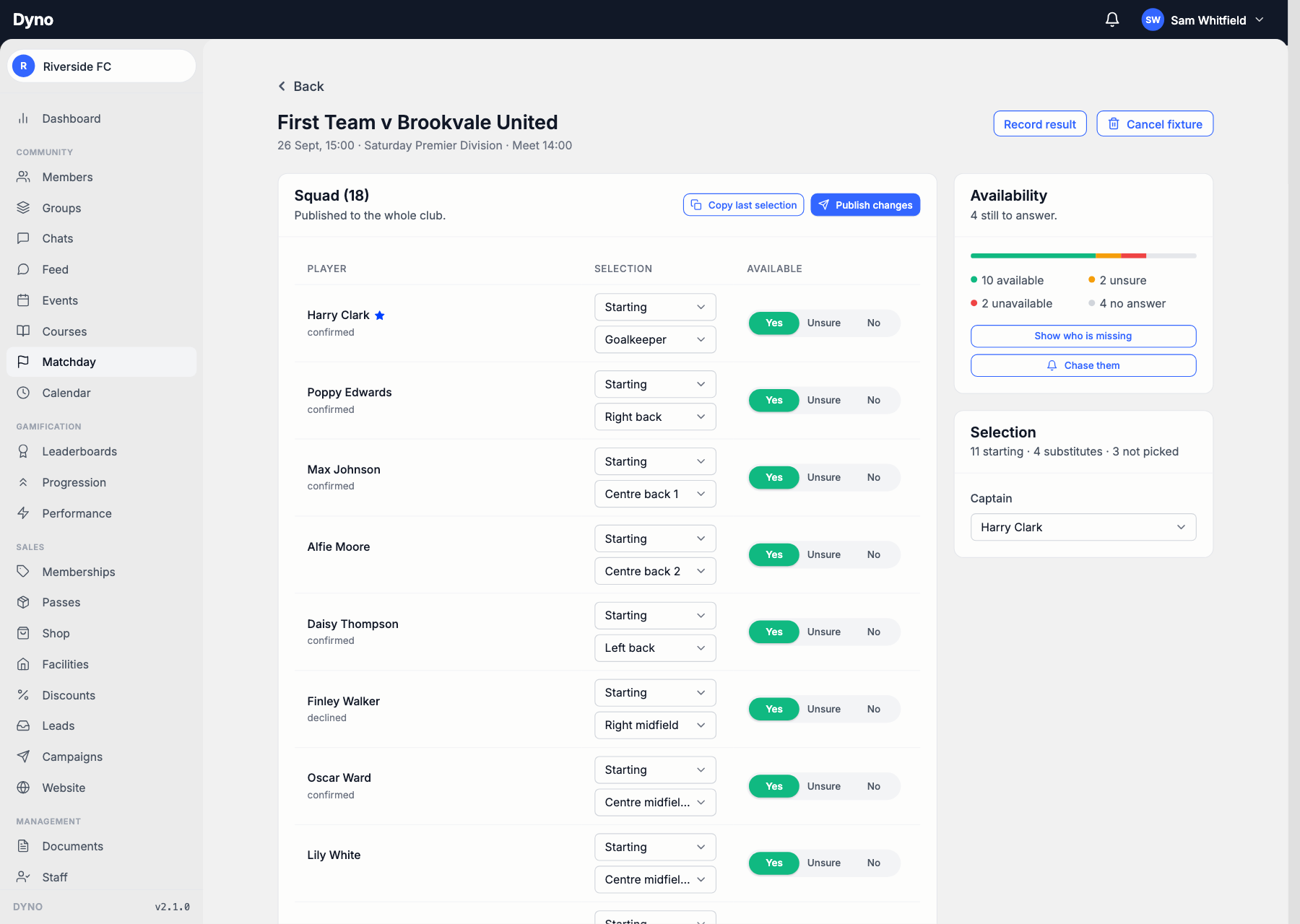
- Pick from the yesesThe squad and their answers on one screen. Copy last week’s side, change three names and publish it.
- Everyone’s toldPublishing notifies the players in the side and the one who isn’t, so nobody hears it second-hand.
- Match fees and subsPut a fee on a fixture and players pay in the app. Season subs go by card or Direct Debit.

Moving on from Teamer
- Rebuild the squad listTeamer’s data is gone, so pull names and contact details from the group chat, last season’s lists and league registrations. A spreadsheet is plenty.
- Import or inviteUpload that spreadsheet to Dyno or invite players by email. Parents add their own children from the app.
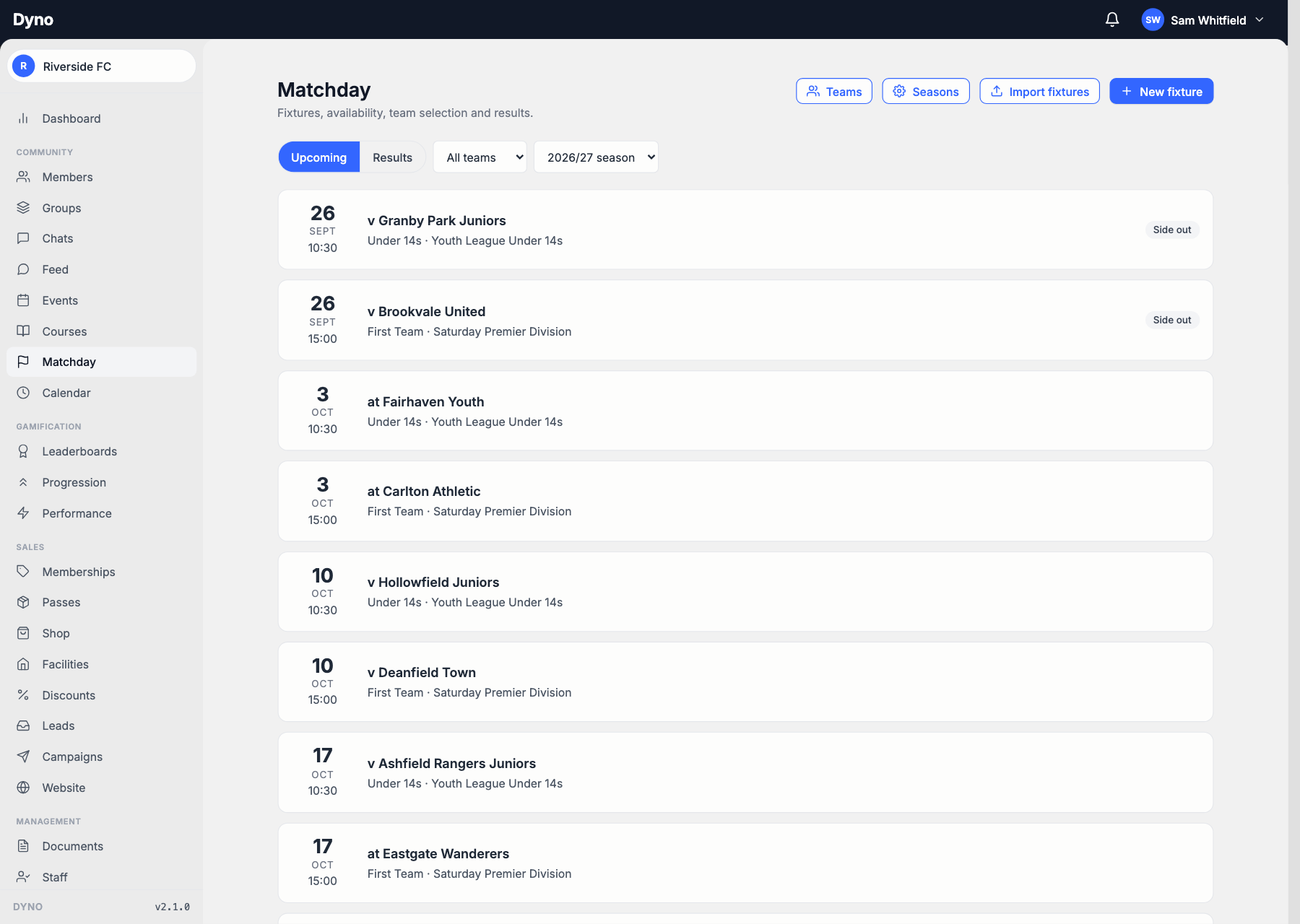
- Fixtures in one sittingType the season in, import a CSV, or subscribe to your league’s iCal feed if it publishes one.
- Payments start freshPlayers add a card or set up a Direct Debit the first time they pay in Dyno, so there’s nothing to untangle from Teamer.
Teamer vs Dyno: feature by feature
DynoTeamer details are based on its own public pages, last reviewed October 2026.
How Dyno compares with other Teamer alternatives
Clubs leaving Teamer usually look at these too. Here’s where each one falls short, and how Dyno stacks up against it.
- SDyno vs SpondSpond is best for: Coaches and volunteers organising a single team who only need scheduling and chat.
- PDyno vs PitcheroPitchero is best for: Clubs that put the public website first and the members’ app second.
- TDyno vs TeamSnapTeamSnap is best for: Individual teams that mainly need scheduling, availability and chat.
- SDyno vs SportsEngineSportsEngine is best for: Organizations tied into its league and governing-body ecosystem.
Dig into the details
Switching from Teamer: common questions
- When did Teamer close?
- On Monday 5 October 2026. Teamer says its team pages, accounts and stored data are no longer available, and that it was a planned closure, not an outage. Premium subscriptions ended during September.
- Can I get my team out of Teamer into Dyno?
- Not from Teamer itself. It had no export tools, and since it closed its data can’t be retrieved. The quickest route is to rebuild your squad in a spreadsheet from your group chat and league registrations, then import it into Dyno or invite players by email. Fixtures can be typed in, imported from a CSV or pulled from your league’s iCal feed.
- Teamer was free. What does Dyno cost?
- Dyno is club software rather than a free team app, so it’s a monthly plan, published on our pricing page. Matchday, the part that runs fixtures, availability and selection, is a paid bolt-on on any plan and included on Pro. Every new club starts with 30 days of Pro free with no card, so you can move now and decide once the season is running.
- Does Dyno do availability and team selection like Teamer?
- Yes, and it carries on after the answers are in. Every player is asked, a parent answers for all their children in one go, and whoever hasn’t replied is chased on the schedule you set. You pick the side on one screen with each answer beside the name, set positions and a captain, and publish it. Afterwards you record the score, a match report and who actually played.
- Can players pay match fees in the app?
- Yes. Put a fee on a fixture and players pay by card, Apple Pay or Google Pay in the member app, with the money landing in the club’s own Stripe account. Season subs can go by card or Direct Debit. Dyno takes no platform fee, only the published processing rate.
- We run several teams and a junior section. Does that work?
- That’s what Dyno is built for. Each team has its own squad, drawn from anywhere in the club, its own line-up format and the coaches who can pick it. Family accounts let a parent manage and pay for several children, and a junior keeps their place in a published side without their name going on your public website.
- Teamer is pointing people to Pitchero. How is Dyno different?
- Pitchero is in the same group as Teamer and is offering Teamer organisers any Pitchero package free for six months, then the normal price. It is built around a club website, takes payments only on its paid packages, and takes a transaction fee from what you collect. Dyno is built around the member app: bookings, payments, chat and match day in the one app your players and parents open, with no platform fee and a club website on Growth and Pro built from the same details.
Switch from Teamer to Dyno
A quick, personalised walkthrough, no slides, no commitment. Tell us a little about your club and we’ll be in touch.