 Dyno
DynoMatchday
The Sunday-night job, in the app your club already runs on. Put the fixtures up, ask who can play, pick from whoever said yes, tell the squad, and record the result. Works for any team sport.
Take a closer look.
Every team, every weekend, one list
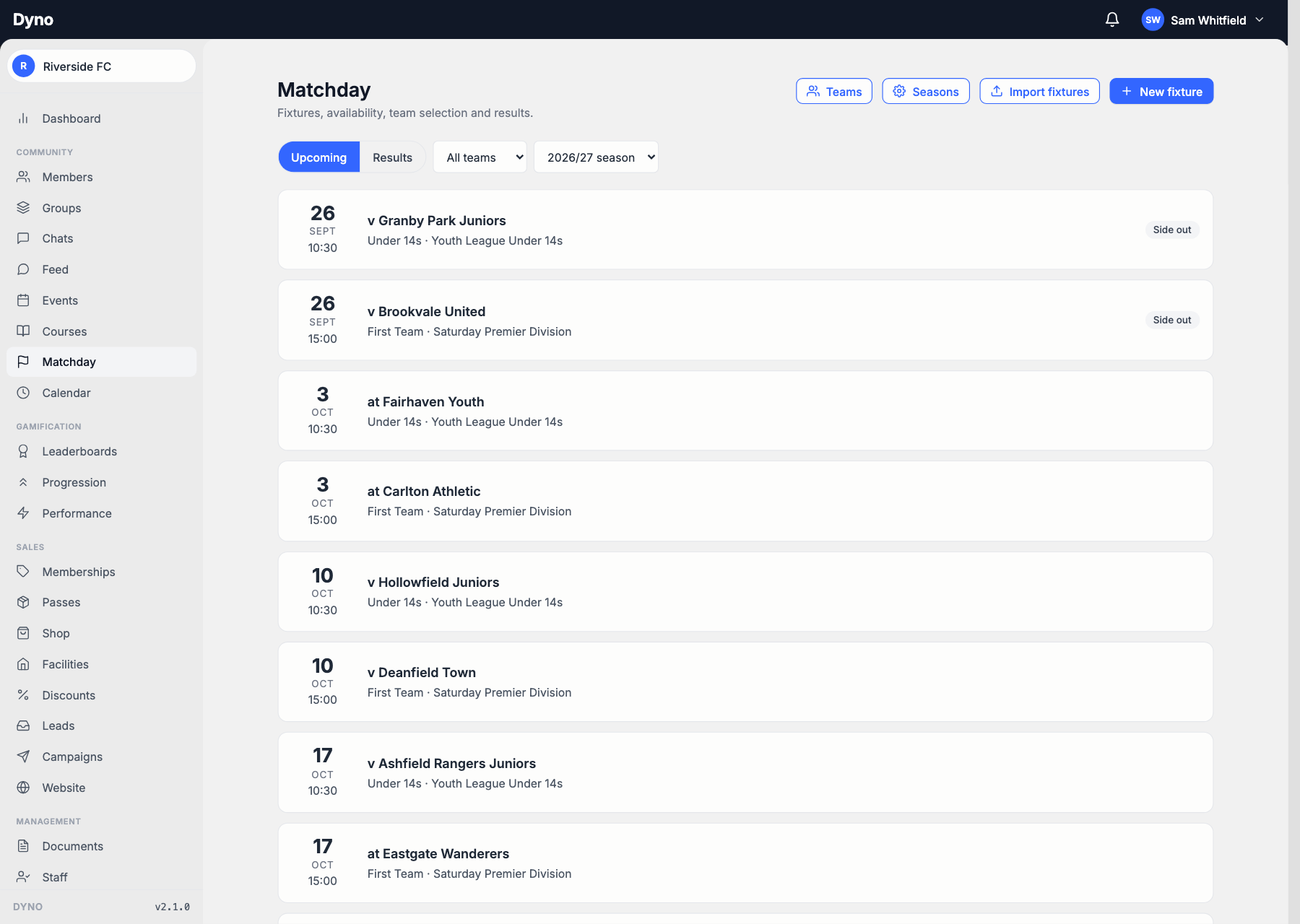
Fixtures sit beside training and everything else your club runs, tagged by team and by what the match counts towards. Type a season in, import a CSV, or subscribe to an iCal feed your league publishes and re-import it as it changes.

Who can play, without the group chat
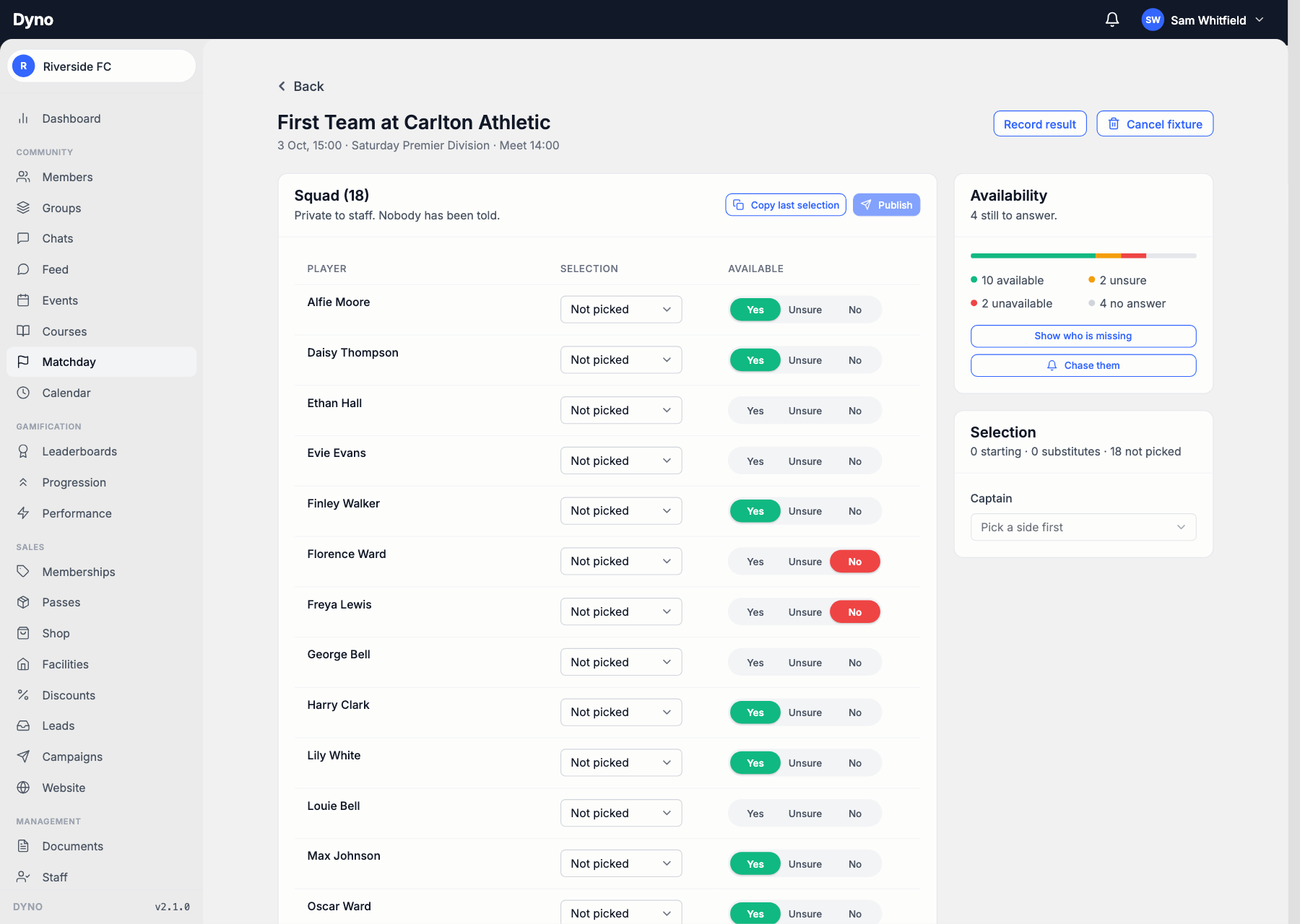
Every player is asked, and a parent answers for all their children in one go. You see the count, who is still to answer, and who changed their mind. Anyone who has not replied gets chased on the schedule you set, and stops being chased the moment they answer.

Pick the side, and let everyone know
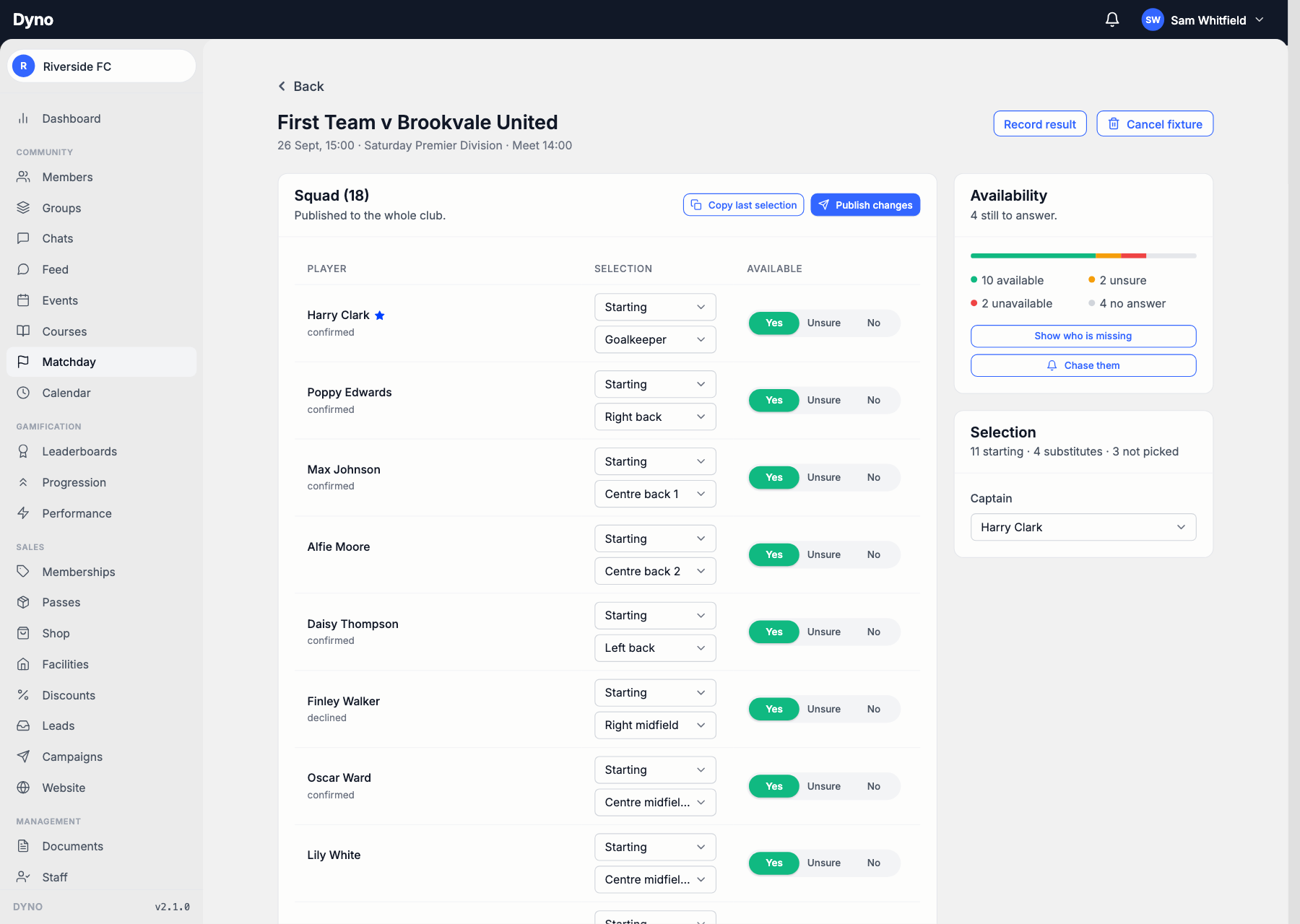
The squad, their answers and their positions on one screen. Copy last week and change three names, or start again. Keep it to yourself while you think, show it to the players in it, or put it up for the whole club, and change your mind later.
The score, the report, and who actually played
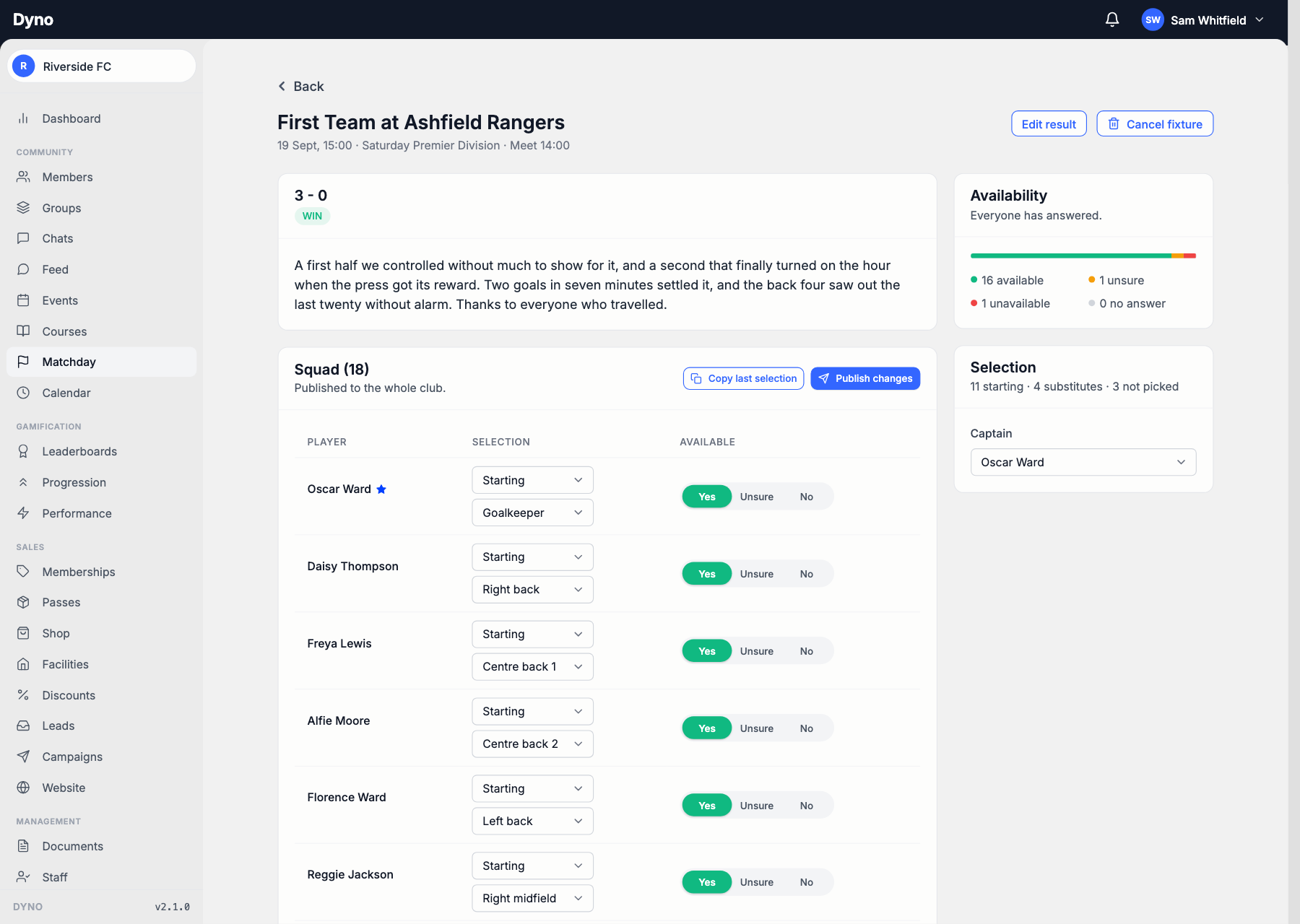
Record a result without modelling your sport’s scoring: two numbers and a win, draw or loss, or the line you would write on the board. Appearances start from the side you published and are yours to correct, because a named substitute who travels and never gets on has not played.
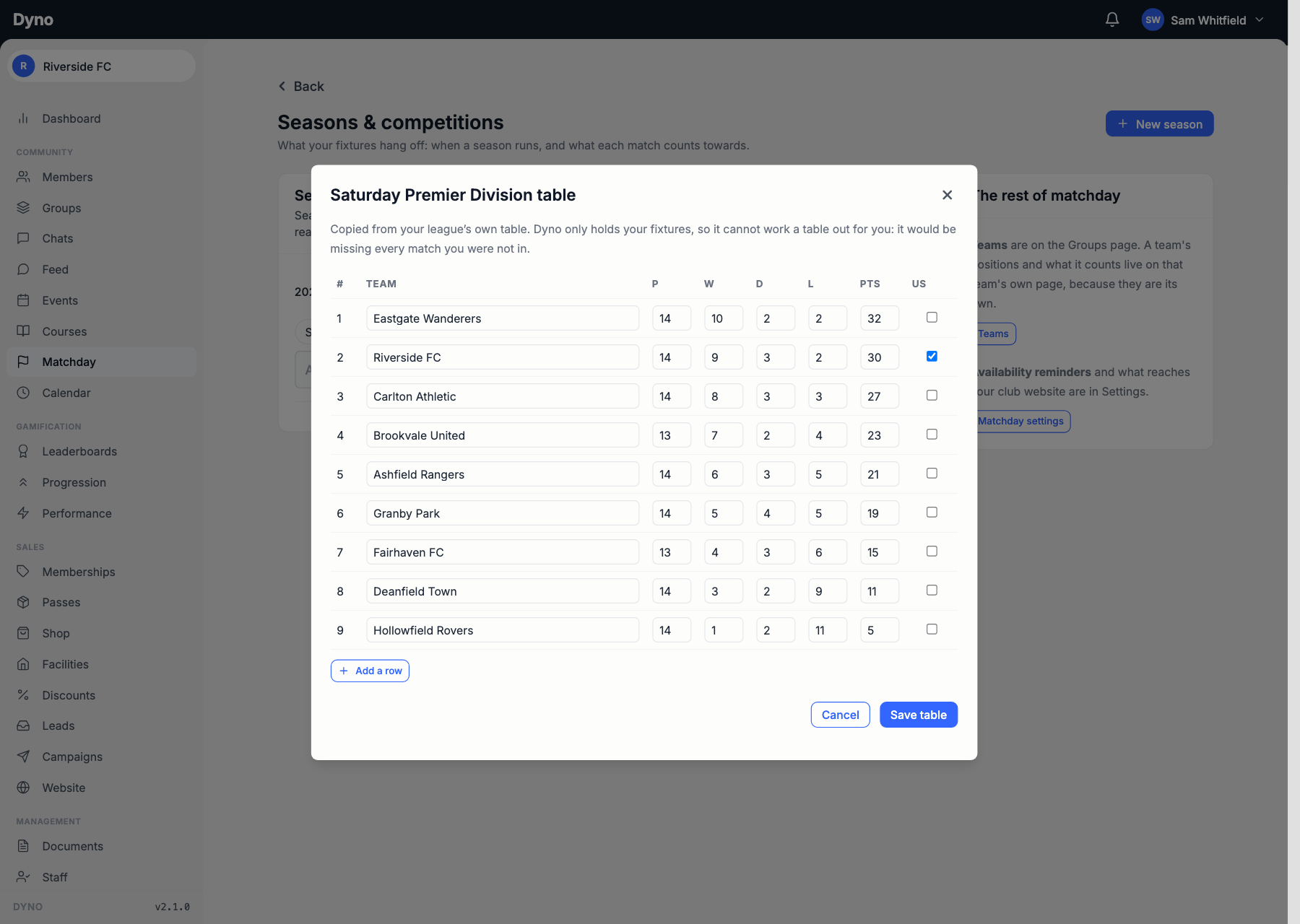
The league table, copied rather than invented
Dyno holds your fixtures and nobody else’s, so a table it calculated would be missing every match you were not in. You copy the league’s own table across and edit it as the season moves, which is the only version that is right.
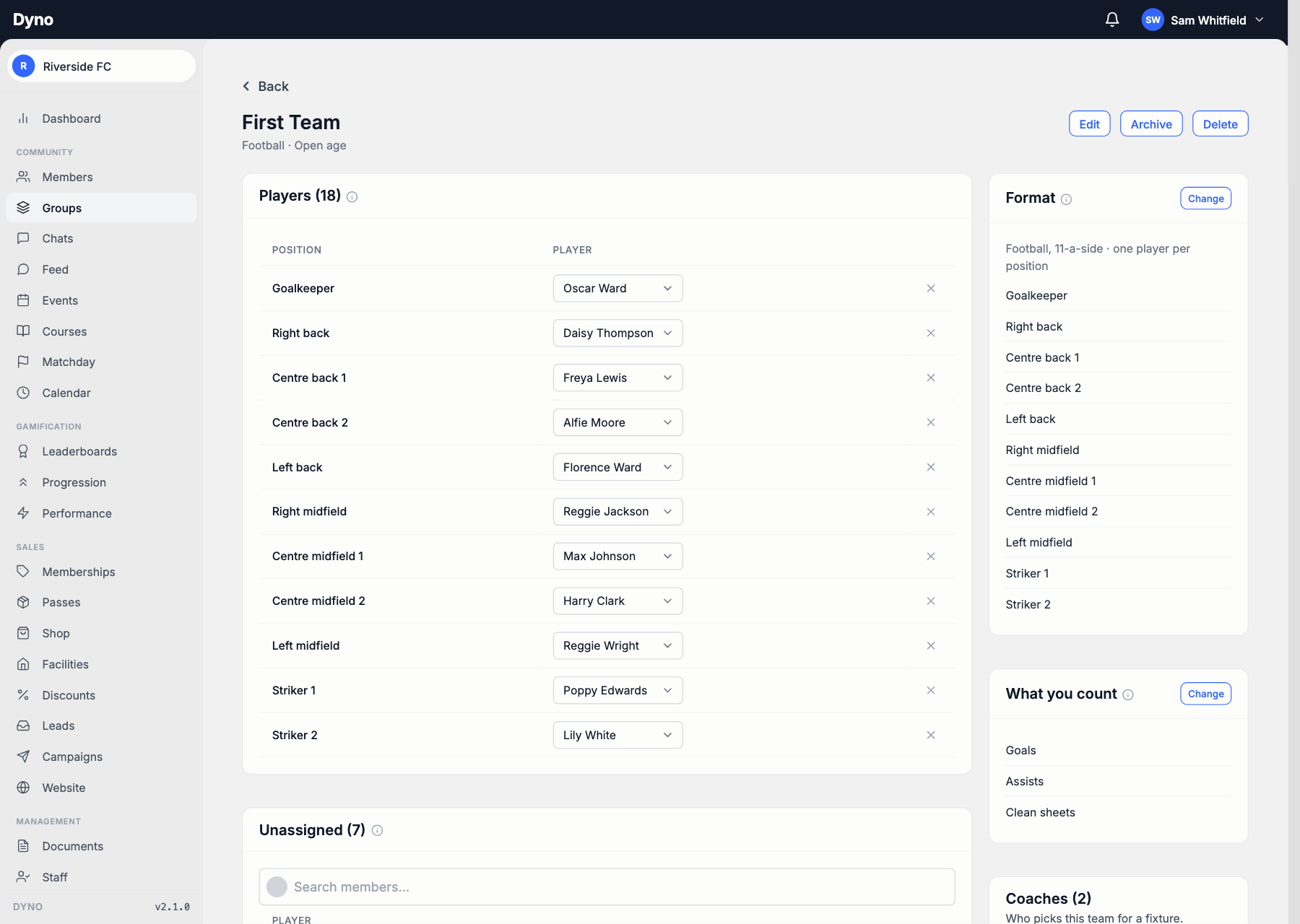
A squad is not an ability group
A team has its own roster, picked from anywhere in the club, so a first eleven drawn from three sessions is one list rather than two kept in step by hand. Each team sets its own shape and its own countables, because a football side and a netball side do not want each other’s dropdowns.
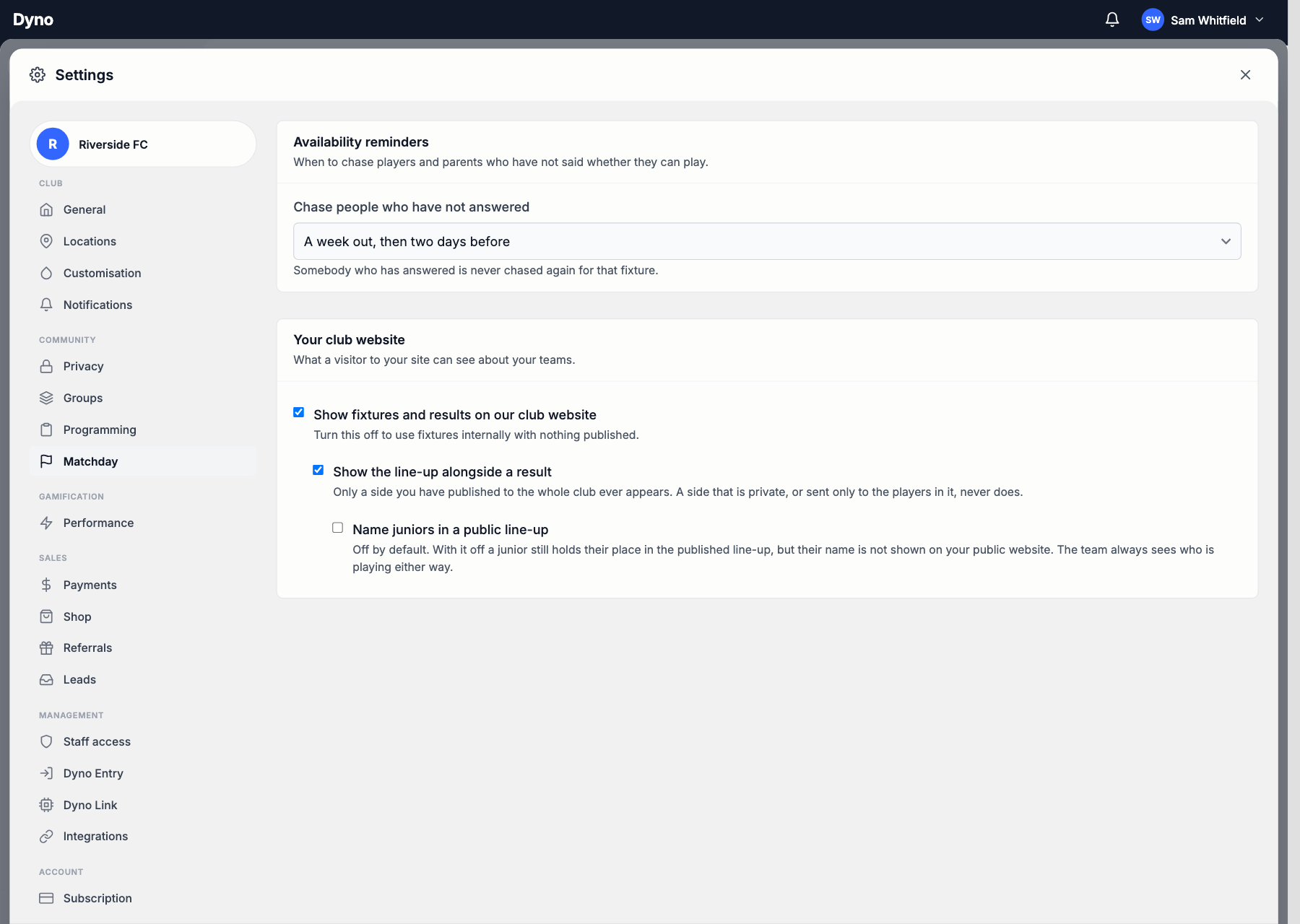
On the club site, and only what you choose
Fixtures, results and match reports appear on your Dyno club website as you record them, with nothing to publish twice. A line-up reaches the public site only if you put it up for the whole club, and a junior holds their place in it without their name going out.
Everything in matchday
- A fixture listOpponent, ground, kick-off and meet time, on the same calendar as everything else.
- Availability, asked for youEvery player and parent is asked, and whoever has not answered gets chased.
- Pick from the yesesOne screen, the whole squad, and their answer next to each name.
- Everyone toldPublishing the side notifies the players in it, and the one who is not.
- Results and appearancesA score, who started, who came off the bench, and what they did.
- Your teams, your shapeA line-up of eleven slots, or four labels, or no positions at all.
- Your match centreFixtures, results and line-ups on your club website, with no republish step.
- Juniors kept off itA child holds their place in the side without their name going on the public site.
- Bolt-onAvailable on any paid plan, and included on Pro.
Every team, every weekend, one list
Fixtures sit beside training and everything else your club runs, tagged by team and by what the match counts towards. Type a season in, import a CSV, or subscribe to an iCal feed your league publishes and re-import it as it changes.
Every team at once Or filter down to the one you pick.
Leagues, cups and friendlies Each match counts towards what you say.
Re-import, do not duplicate A moved kick-off updates the fixture.
Who can play, without the group chat
Every player is asked, and a parent answers for all their children in one go. You see the count, who is still to answer, and who changed their mind. Anyone who has not replied gets chased on the schedule you set, and stops being chased the moment they answer.
A running count Available, unsure, unavailable, no answer.
Chase only the stragglers One button, and only they hear from you.
Answers you took yourself Record what somebody told you at training.
Pick the side, and let everyone know
The squad, their answers and their positions on one screen. Copy last week and change three names, or start again. Keep it to yourself while you think, show it to the players in it, or put it up for the whole club, and change your mind later.
Nobody picked by accident A player who said no takes a deliberate confirm.
The dropped player is told Publishing again notifies whoever changed.
They answer back Confirmed, or pulled out after being picked.
The score, the report, and who actually played
Record a result without modelling your sport’s scoring: two numbers and a win, draw or loss, or the line you would write on the board. Appearances start from the side you published and are yours to correct, because a named substitute who travels and never gets on has not played.
Starts and substitutes Counted apart, across the whole season.
What each player did Goals, tries, wickets, whatever you count.
A match report A paragraph that goes out with the result.
The league table, copied rather than invented
Dyno holds your fixtures and nobody else’s, so a table it calculated would be missing every match you were not in. You copy the league’s own table across and edit it as the season moves, which is the only version that is right.
Your row marked So it reads at a glance where you sit.
A table per competition The league gets one; a cup does not need it.
No league sync Said plainly here rather than promised later.
A squad is not an ability group
A team has its own roster, picked from anywhere in the club, so a first eleven drawn from three sessions is one list rather than two kept in step by hand. Each team sets its own shape and its own countables, because a football side and a netball side do not want each other’s dropdowns.
A line-up or a set of labels Eleven slots, or four roles filled by anyone.
Two centre backs is legal A repeated slot is how a team sheet reads.
Coaches who can pick Named per team, not per club.
On the club site, and only what you choose
Fixtures, results and match reports appear on your Dyno club website as you record them, with nothing to publish twice. A line-up reaches the public site only if you put it up for the whole club, and a junior holds their place in it without their name going out.
Off is one switch Use fixtures internally and publish nothing.
Line-ups are separate A match centre without team sheets is fine.
Juniors unnamed by default The squad still sees exactly who is playing.
Simple, transparent pricing
Start free. Your plan grows as your club does. No per-member pricing, no surprises.
See full pricingGet your club running on Dyno
Free to start, no credit card. Most clubs are taking payments the same day they sign up. Matchday is a paid bolt-on, and it is included on Pro.
Start free